You bought the AI tools. Your team uses ChatGPT, Copilot or Gemini every day. So why does everyone seem busier than before?
You're not imagining it. New research shows that for most companies, AI has added work, not removed it. The good news is that the reason is fixable, and fixing it is where the real savings are.
What the new research says
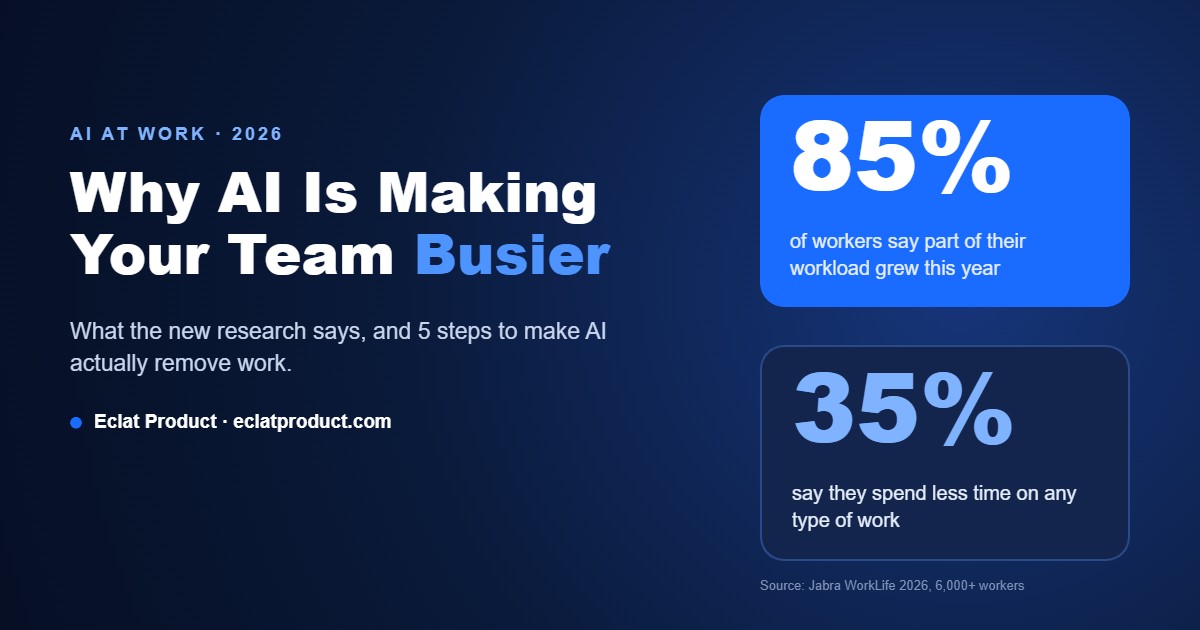
- 85% of workers say at least one area of their day-to-day work increased over the past year, and only 35% say they spend less time on any type of work (Jabra Research Institute, WorkLife 2026, a survey of 6,000+ knowledge workers in six countries including the US, published October 2026).
- Heavy AI users reported more extra work than light users: 57% saw admin and coordination work increase, compared with 38% of light users.
- After companies adopted AI, time spent in email rose 104% and in chat and messaging 145%, while focused work time fell to a three-year low (ActivTrak 2026 State of the Workplace, based on activity data from 1,111 organizations).
- 42% of front-line employees have had no AI training at all, compared with 13% of C-level leaders (Jabra).
As ActivTrak's Gabriela Mauch put it: "AI isn't reducing work, it's increasing the speed and density of how work happens."
Why AI is making your team busier
1. AI makes it easy to create more, so everyone creates more
When a reply, report or proposal takes 30 seconds to draft, people write more of them. More emails, more documents, more versions. Someone still has to read, check and act on all of it.
2. Chat tools speed up tasks, but don't remove them
Asking ChatGPT to draft an invoice reminder is faster than writing it yourself. But someone still has to open the accounting system, find the overdue invoices, copy the details, paste the AI's text into an email and send it. The AI sped up one step in a five-step process. The other four are still manual.
3. Copy-paste becomes the new job
Most AI tools don't talk to your CRM, booking system, accounting software or spreadsheets. So your team becomes the bridge, moving information between AI and every other system by hand. That's the "administrative and coordination" work the Jabra study says is growing.
4. Checking AI's work takes time
AI output needs review. Wrong numbers, made-up details, the wrong tone for a client. Without clear rules for what AI can and can't handle, every output gets checked by a person, sometimes twice.
5. Nobody showed your team how
With 42% of front-line staff getting no training, most people use AI the same way: one prompt at a time, for whatever comes to mind. That's helpful, but it's not a system.
How to make AI actually remove work
The companies seeing real time savings use AI differently. They stop asking "what can I ask ChatGPT?" and start asking "which repeat tasks can we take off our team's plate entirely?"
Step 1: Find your repeat tasks
For one week, have each person note tasks they do more than three times a week: answering the same customer questions, entering data from emails or forms into a system, sending reminders and follow-ups, building the same weekly report, scheduling appointments. That list is your automation roadmap.
Step 2: Automate the whole task, not one step
Instead of using AI to write the invoice reminder, build a workflow that finds overdue invoices, writes a personalized reminder, sends it, and logs it in your system. No one touches it unless a customer replies. That's the difference between a faster task and a task that disappears.
Step 3: Connect AI to your real systems
AI becomes useful when it can read from and write to the tools you already use: your CRM, calendar, booking system, accounting software and database. This is where custom integrations pay for themselves, because they eliminate the copy-paste layer.
Step 4: Put AI where customers already are
A large share of small-business workload is answering the same customer questions by phone, email and chat. A well-built AI chatbot or AI receptionist answers those 24/7, books appointments and only hands off to your team when a human is genuinely needed.
Step 5: Set rules and measure
Decide what AI can do alone, what needs a quick human check, and what it should never touch. Then measure hours saved per week on each automated task. If a tool isn't saving time after a month, change it or drop it.
A quick example
Picture a small service business that gets dozens of customer emails a day asking about prices, availability and booking. Using ChatGPT to draft replies saves a little typing, but someone still reads every email, copies details and checks the calendar. Connect an AI assistant to the business's calendar and FAQ, and it can answer and book the routine requests on its own. Staff only see the ones that truly need a person. Same AI technology, very different result.
The bottom line
AI isn't failing your business. It's just being used as a faster typewriter instead of a system. The real savings come from automating complete tasks and connecting AI to the tools your business already runs on.
Eclat Product builds custom AI and software solutions for small and mid-sized businesses: workflow automation, system integrations, AI chatbots and AI receptionists that take real work off your team's plate.
👉 Book a free 20-minute call. Bring your list of repeat tasks, and we'll show you which ones can be automated first.
Sources: Jabra Research Institute, WorkLife 2026; ActivTrak 2026 State of the Workplace; Forbes.









)